It all started one day, in Tuesday 6th 2026. I was browsing through internet to kill boredom as I always do, when I stumbled upon a image that caught my attention. I was searching for Tempest 2000 for the SNES, because Mystic released this game with a 4 trainer. Browsing a little bit, I've discovered that this release corresponds to a port of the arcade game. Nothing related to what I discovered in my search...
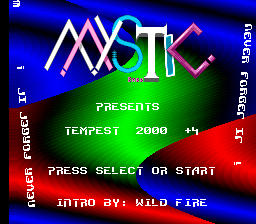
Well, so I found this instead of the game I was looking for: Tempest 2000 for the Atari Jaguar (1994) (Atari)
-title.png)
My attention was focused on the font that the game has. And I was thinking: "If there is a way to rip that font sheet without complicating my life". My first thought was directly download a few samples of the game with that font, and construct a font sheet with that samples. But this option wasn't very useful, because the samples had few characters, thing that would make the sheet incomplete...
So I decided to research a little, to at least rip the letters from the emulator. This wasn't a very useful option either, the same problem as before. Because some recommend to only screen capture the screen of the game and rip the sprites from that captures...
My last option was find any kind of method to rip these sprites, but I paused this research for a few minutes, when I was now searching for unused tracks in the Tempest 2K rom files (documented in tcrf.net). I stumbled upon a GitHub repository that claims to have the entire source code of the game, in Motorola 68K Assembler format. The repository has some .mod files that I could download and listen in order to find those unused tracks (I found them in another website after a research in modsamplemaster.thegang.nu (A index website where you can find samples and module files from multiple sources): "modland.com").
The interesting part is that the repository also had images for the fonts and several ingame elements, in .CRY and .S formats. So I thought that my last method to get these sprites was to ask an AI agent to do an automated script that would convert these raw ".CRY" and ".S" files into a single PNG image.
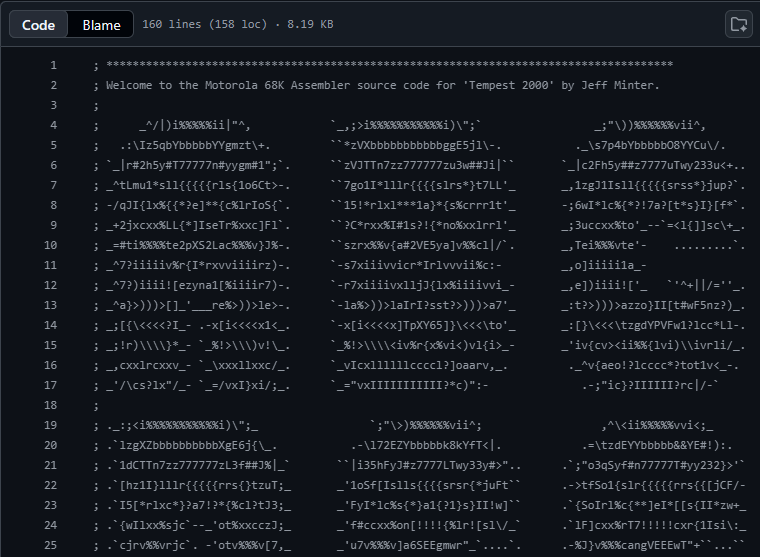
So I used ChatGPT to make a script that should export raw ".S" and ".CRY" files into a PNG image. I've never expected that the agent would do this script so well!
Browsing through the "Sources" button, we can find the stuff that the agent was doing while coding the script. The first step was reading the ".CRY" format and search documentation online. It's first attempt was a failure and continued by examining the repo contents. It concluded that the ".CRY" format is a 16-bit image file format used for the Atari Jaguar CRY. The agent needed more information, so it researched from the same repo and some external websites related to Atari stuff (INCLUDING A .PDF technical reference manual document about a Tom and Jerry game for the Atari Jaguar).
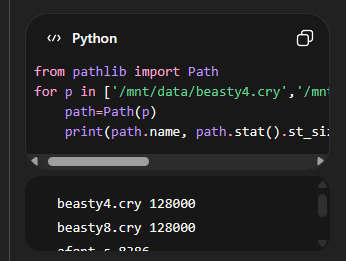
The agent started to crawl on diverse websites and several tools to build the converter, and experiment with it to check the results and refine the converter. It's target now was the "rgb24_of_cry16", which probably makes the script to convert the CRY format into PNG using several parameters that I wouldn't dig in so much...
For my surprise, the agent managed to convert some of the .CRY images to PNG files using the script. Crawling a little through it's code, it first makes several lists for Look-up tables that contains 256 color values. Next, it processes a single 16-bit pixel, splitting it into two 8-bit parts: Color index (high byte) and Intensity (low byte). With this last data, it calls a wrapper that iterates through the entire raw binary file, joining pairs of bytes into 16-bit "words" and passing them into a decoder.
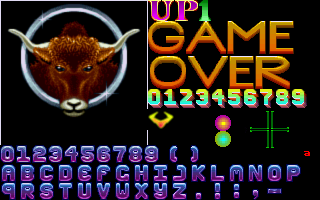
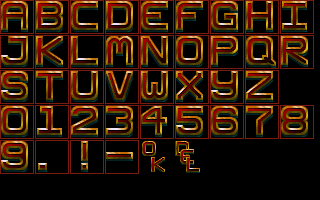
To render the image, the script has to guess the height and width of the source file (because these files don't have that such information). So, it first finds all possible dimensions that multiply together to equal the total pixel count. Next, it gives a "score" to possible dimensions such as: Landscape orientations, common console resolutions, and widths divisible by 8.
There's nothing more to write in here. Just if you want the tool, I will share it with you at some point this year on a GitHub repo or in a file host website, there are some flaws that needs to be fixed... Goodbye